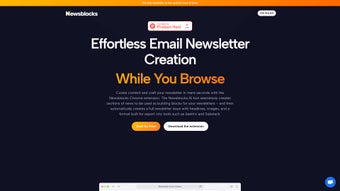

Download Newsblocks – Efficient AI Newsletter Creation Tool
Overview of Newsblocks AI
Newsblocks AI is a next‑generation newsletter creation platform that blends artificial intelligence with a sleek Chrome extension to turn scattered web content into polished, publish‑ready newsletters. Whether you’re a freelance writer, a marketing manager, or a hobbyist who wants to share curated news with a community, Newsblocks automates the most time‑consuming steps—finding relevant articles, summarizing them into concise “blocks,” and arranging those blocks into a visually appealing layout. The built‑in bookmarking feature lets you capture articles while you browse, instantly syncing them to your personal dashboard where the AI can generate summaries in seconds.
This workflow not only boosts productivity but also encourages a higher publishing frequency, helping users move from monthly digests to weekly or even daily issues. With flexible subscription tiers, Newsblocks caters to both casual users who need a free, limited version and professional teams that require advanced analytics, brand customization, and bulk publishing capabilities. In short, Newsblocks AI transforms the newsletter creation process from a manual, fragmented task into a seamless, AI‑driven experience.
Key Features and Benefits
- AI‑Generated Summaries (Blocks): The core engine scans saved articles, extracts the most important points, and creates ready‑to‑use summary blocks that fit any newsletter template.
- Chrome Extension for One‑Click Curation: While browsing, click the extension to bookmark articles directly to your Newsblocks dashboard—no need to copy URLs manually.
- Drag‑and‑Drop Newsletter Builder: Assemble blocks into a custom layout with an intuitive drag‑and‑drop interface, complete with brand colors, fonts, and images.
- Automated Publishing & Scheduling: Set up daily, weekly, or monthly publishing schedules; the platform can auto‑send newsletters via email or RSS.
- Personalized Content Recommendations: Based on your reading habits, the AI suggests new articles that match your audience’s interests.
- Collaboration Tools: Invite team members, assign roles, and leave comments on each block for seamless editorial workflows.
- Analytics Dashboard: Track open rates, click‑throughs, and engagement metrics to refine future editions.
- Multi‑Device Sync: Your saved blocks and drafts are stored in the cloud, accessible from Windows, macOS, Android, and iOS devices.
- Scalable Subscription Plans: Free tier for basic users, Pro plan for individuals, and Enterprise tier for large teams with custom branding and API access.
These features collectively address the biggest pain points in newsletter production: content discovery, time‑intensive summarization, layout design, and distribution. By automating the first two steps, Newsblocks frees up creative energy for storytelling, design tweaks, and audience engagement. Moreover, the analytics suite ensures that every issue becomes data‑driven, helping you understand what resonates with readers and where to iterate. For teams, the collaboration module eliminates the back‑and‑forth email chains, providing a single source of truth for each newsletter draft. Overall, Newsblocks positions itself as a comprehensive, AI‑enhanced solution that scales with the user’s needs.
Installation, Usage, and Compatibility
Step‑by‑Step Installation
- Visit the official Newsblocks website and click the Download Chrome Extension button.
- Chrome will prompt you to add the extension; confirm by selecting Add Extension.
- After installation, a small Newsblocks icon appears next to the address bar.
- Create a free account or log in with Google/Apple ID to sync your dashboard.
- Open the extension, click Bookmark on any article you wish to include, and the article will instantly appear in your online dashboard.
How to Build a Newsletter
Once you have a collection of bookmarked articles, head to the Newsblocks web dashboard (compatible with any modern browser). The AI will automatically generate summary blocks for each saved article. Review the blocks—edit tone, length, or add custom images if desired. Then drag the blocks into the newsletter canvas, choose a pre‑designed template or start from scratch, and customize the header, footer, and branding elements. When you’re satisfied, click Schedule or Publish Now to send the newsletter to your subscriber list.
Supported Operating Systems
Newsblocks AI works across all major platforms. The Chrome extension runs on Windows 10/11, macOS Catalina and later, as well as Linux distributions that support Chrome or Chromium. The cloud‑based dashboard is fully responsive, allowing you to edit newsletters on Android (5.0+) and iOS (12+) devices through a web browser or the native mobile app (available on the Google Play Store and Apple App Store).
System Requirements & Security
The extension requires at least 200 MB of free disk space and a stable internet connection (minimum 3 Mbps) for AI processing. All data—bookmarked articles, generated blocks, and subscriber lists—are encrypted in transit (TLS 1.3) and at rest (AES‑256). Newsblocks complies with GDPR and CCPA, offering data‑export and deletion tools for user privacy.
Pros, Cons, and Frequently Asked Questions
Pros & Cons
- Pros
- AI saves hours on content summarization.
- One‑click bookmarking integrates seamlessly into daily browsing.
- Drag‑and‑drop editor requires no design skills.
- Cross‑platform compatibility ensures you can work from any device.
- Robust analytics help improve future newsletters.
- Free tier available for testing before committing.
- Cons
- AI summaries may need manual tweaking for niche topics.
- Advanced branding features are locked behind paid plans.
- Initial learning curve for the dashboard layout.
- Requires a Chrome browser for the bookmarking extension.
FAQ – Your Questions Answered
Can I use Newsblocks without the Chrome extension?
Yes. You can manually add URLs or upload PDFs directly in the dashboard, but the Chrome extension streamlines the process by letting you bookmark articles with a single click.
How accurate are the AI‑generated summaries?
The AI leverages a large language model fine‑tuned on news content, delivering concise, context‑aware summaries. For most mainstream topics the output is ready‑to‑publish, though niche or highly technical articles may benefit from a quick editorial review.
Is there a limit to how many newsletters I can send per month?
The free plan allows up to 5 newsletters per month with a maximum of 500 subscribers. Paid tiers increase these limits dramatically—up to 10,000 newsletters and unlimited subscribers on the Enterprise plan.
Can I integrate Newsblocks with my existing email service provider?
Yes. Newsblocks supports direct integration with Mailchimp, SendGrid, and ConvertKit via API keys. The Enterprise plan also offers webhook support for custom ESPs.
What security measures protect my subscriber data?
All data is encrypted in transit (TLS 1.3) and at rest (AES‑256). Newsblocks is GDPR‑ and CCPA‑compliant, providing tools for data export, rectification, and deletion upon request.
Review Summary: Newsblocks AI delivers a compelling mix of AI automation and user‑friendly design, making it a strong contender for anyone serious about regular newsletter publishing. While the AI may need occasional tweaking, the time saved on research and summarization is substantial. The pricing tiers are transparent, and the free version is generous enough to test core functionalities.
Conclusion & Call to Action
In a landscape where content overload can drown even the most diligent newsletter creators, Newsblocks AI offers a pragmatic solution that blends intelligent automation with a clean, collaborative editor. By handling article curation, summarization, and layout assembly, the platform empowers you to publish more frequently without sacrificing quality. Whether you’re a solo blogger aiming to grow an engaged audience or a marketing team seeking a scalable content distribution engine, Newsblocks adapts to your workflow and grows with your needs. Ready to transform your newsletter process?
Download Newsblocks now and experience the future of newsletter creation—free, secure, and powered by AI.



.png)



